
Windows 11

How to Disable Windows Telemetry? [Complete Guide]
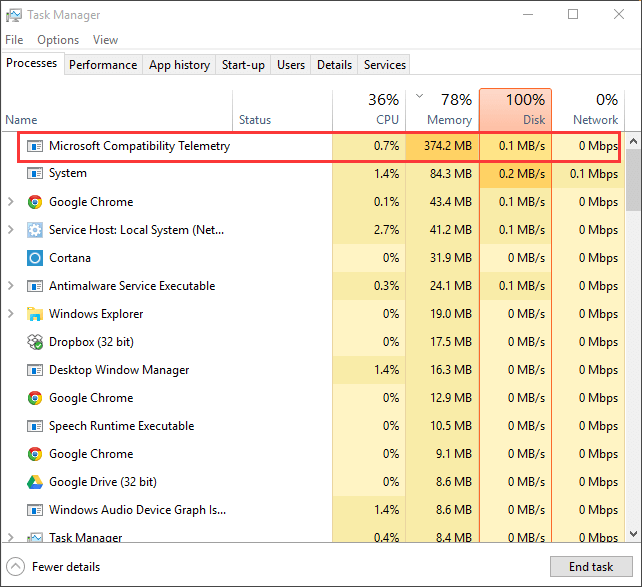
Windows Telemetry is Microsoft’s diagnostic data collection system built into Windows. It automatically gathers data about your operating system, devices, and how Windows is functioning. The information is then sent to Microsoft to help improve the operating system. Windows telemetry collects information such as hardware specifications, Windows version and build number, installed drivers, device reliability, … Read more

Anshul Rana
Optimize

How to disable the Windows Health and Optimized Experiences Service?

The Windows Health and Optimization Experiences Service works alongside Windows Update, Diagnostics services, and various “recommended actions” shown throughout Windows 11. However, this isn’t a core Windows function and is not essential for Windows to boot or perform basic tasks. So, you can safely remove it if you want. Doing so will just remove some … Read more

Anshul Rana
Debloating

The Ultimate Windows 11 Optimization Guide for Maximum Performance

Most Windows 11 optimization guides will tell you to disable a few startup apps, uninstall apps, or change power modes. But a lot is going on behind the scenes that needs some manual fixes and optimizations. Windows 11 is pretty bloated, which hampers performance a lot, especially on low-end computers. Compared to Windows 10, the … Read more

Anshul Rana
Optimize

5 Reasons Windows 11 Is So Bloated

Windows 11 is my favorite Windows version till now in terms of looks, but this is not the case with everybody. Because my hardware is good enough, it can handle all the extra features, animations, and primarily the bloat without any complaints. Windows 11 is surely bloated from the perspective of power users and enthusiasts, … Read more

Anshul Rana
Debloating

What is Windows 11 Bloatware, and how to remove it?

Bloatware is a serious issue for most of the Windows 11 users. The unnecessary features and programs ruin the experience for some people, while some people experience higher resource usage on the things they never use. According to Windows 11, they are trying to make Windows 11 accessible and useful for everybody, and are trying … Read more

Anshul Rana