

Windows 11 is my favorite Windows version till now in terms of looks, but this is not the case with everybody. Because my hardware is good enough, it can handle all the extra features, animations, and primarily the bloat without any complaints.
Windows 11 is surely bloated from the perspective of power users and enthusiasts, but I am sure it isn’t bloated from the viewpoint of Microsoft.
For an average user, Windows 11 includes things they mainly expect. Things like built-in security, antivirus, cloud backups through OneDrive, gaming features, phone integration, AI features, and accessibility tools are somewhat important for normal users.
If Windows removed all of that, the masses would start to complain that Windows feels incomplete.
However, enthusiasts call it bloated because they can see many features running in the background even when unused. They understand that the hardware resources are limited and should be managed properly. So, whatever feels unwanted is considered bloat, but this is a subjective thing. Bloat is bloat only for those who have not used those features. But, because they are there in the operating system, they are surely serving some users, if not all.
Windows 11’s start menu promotes its apps and services. Some apps are preinstalled and difficult to avoid. Data collection and telemetry services consume resources. Memory usage is significantly higher in Windows 11 compared to older Windows versions.
But what is the reason? Why is Windows 11 so bloated?
Let’s discuss.
1. It has to support almost all PC use cases
Windows 11 ships with features for businesses, gamers, developers, creators, accessibility users, virtual machines, tablets, kids, and whatnot. Even if you never use some features, they are given to you as a user because Microsoft doesn’t know your usage.
When installing Windows 11, it asks for your intended use (for example, Gaming, School, Business, Development, Entertainment, or Family). However, this is just the information for them and doesn’t decide which apps or features you get by the end of the installation.

So, there are some apps and features that all users will get without the option to disable them during installation. Some of them are:
- Hyper-V
- Windows Subsystem for Linux
- Windows Sandbox
- Legacy printing and networking components
- Enterprise security features
This flexibility is Windows’ biggest strength, which makes it favorable for all types of users. However, the same reason makes Windows 11 feel bloated. Microsoft can’t predict how you’ll use the operating system.
A home user will never write code today, but might decide to install Docker or Linux tools next month. Someone who never prints documents may buy a printer next month. Because of this uncertainty, Windows includes or makes available a vast array of features that many users never use.
2. Microsoft prioritizes services over performance
If you ever open a newly installed Windows 11 PC, you will see dozens, sometimes well over a hundred, background processes. We never know the purpose of most of them because we never open them. This is, again, because we are given features we never asked for.
Over the last decade, Microsoft has shifted Windows from a traditional desktop operating system into a service-oriented platform. It means that instead of being just software installed on your PC, Windows acts as an evolving ecosystem for Microsoft’s online services.
Many background services like Windows Update, OneDrive sync, Phone Link, Widgets, Cloud Clipboard, Windows Security, AI and Copilot are there to provide the “necessary” functionality.
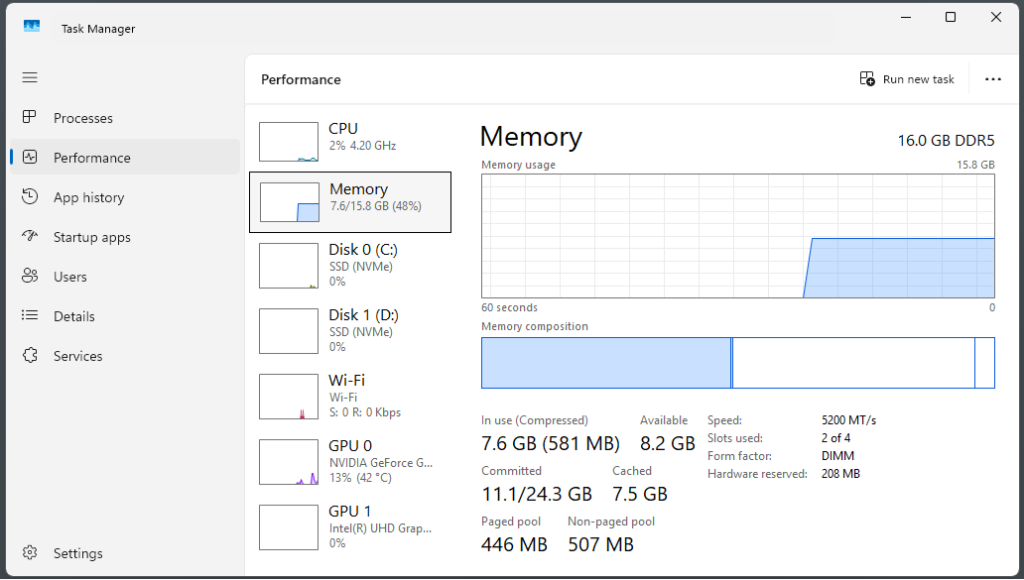
Ideally, an operating system works as the software layer over the hardware, allowing users to be able to start using a computer. But now there are programs already coming pre-installed without even asking us. For example, Windows Search constantly indexes files for instant searching. Windows Update keeps the system secure without user intervention. And I don’t deny that most of the things are useless. They are required, but there are some extra components, such as Xbox and Copilot or the Games, which are not that great to have in an operating system.
3. Advertising and Microsoft services are deeply integrated
One of the biggest reasons enthusiasts call Windows 11 bloated is not mainly related to its performance impact. The computers are getting faster now, and we don’t even think about the resource usage most of the time. People have started to call out Microsoft for bloatware because of its increasing efforts to promote its own ecosystem.
Windows today is more than an operating system. It is a platform designed to encourage people to use other Microsoft products. It wants us to adopt Microsoft’s subscription services such as OneDrive, Copilot, Microsoft 365, etc. It wants us to use its own software, including the forced installs of Edge, Bing search, Xbox Game Pass, Microsoft Rewards, and Phone Link.
According to Microsoft’s annual reports, its major revenue comes from Microsoft 365, Azure, Xbox, LinkedIn, Advertising, Copilot, and Enterprise cloud services. Therefore, Windows has started to act as an entry point into Microsoft’s broader ecosystem.
4. Decades of backward compatibility
Windows becomes much more complex because it’s one of its greatest strengths. Unlike many operating systems, Windows tries extremely hard to run software written decades ago. There are various programs developed for Windows XP or Windows 7 that still work today with little to no modifications.
Keeping this compatibility intact, Windows makes use of a big amount of legacy code. The main examples are the Win32 API, Component Object Model, Registry support, Old printer drivers, DLL redirection, NTFS compatibility, etc.
Large organisations often use custom software that was written 10 or even 20 years ago. If Microsoft suddenly removed these components, banks, hospitals, airports, and government organisations would face serious disruptions.
This is a reason Microsoft usually deprecates features slowly instead of removing them immediately. Similarly, Internet Explorer itself was retired, but Microsoft still provides Internet Explorer mode inside Edge because many businesses continue using legacy web applications. Now, this extra codebase makes Windows bloated even if you remove all of its bloat.
5. Too many pre-installed apps
I would admit that some of Windows 11’s pre-installed apps are genuinely useful. Others exist because different users have different needs. Some examples include Calculator, Photos, Paint, Notepad, Clipchamp, Phonelink, Outlook (new), Sticky Notes, Camera, Clock, etc.
Depending on your region and edition of Windows, Microsoft may also install or promote apps like Spotify, TikTok, Instagram, Messenger, Disney+, or other third-party applications.
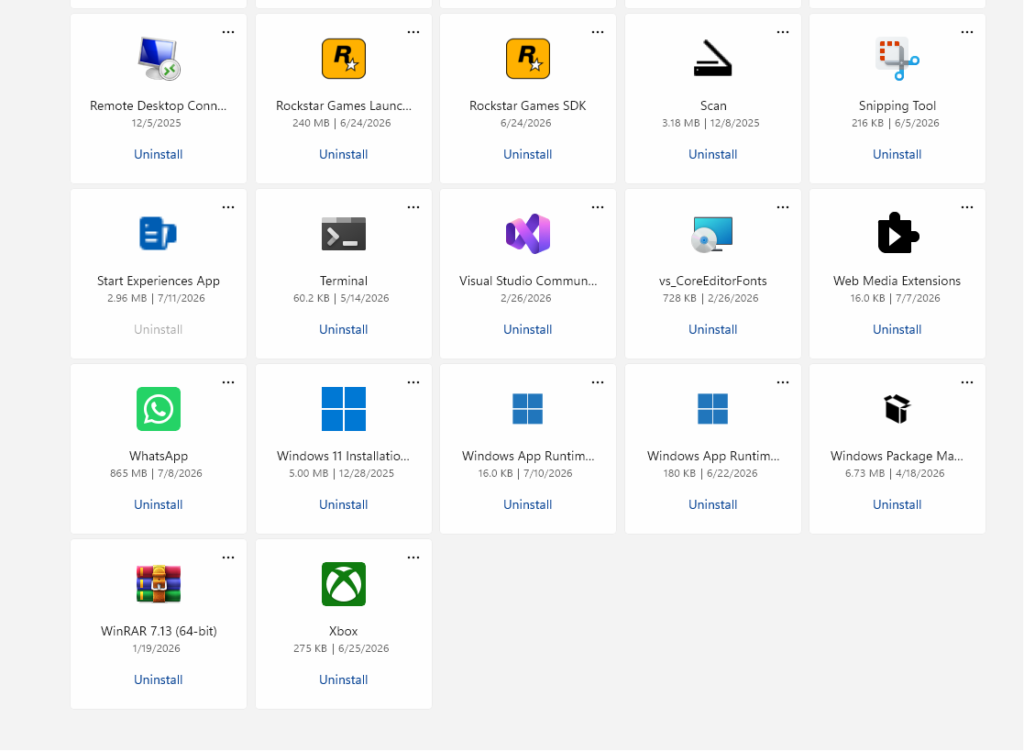
Most of these apps occupy very little space initially, but they contribute to the feeling that Windows is preloaded with software the users never asked for. Power users will mostly call out the software like Clipchamp, Widgets, Copilot, Outlook, Spotify, LinkedIn, Phone Link, etc. Meanwhile other users rely on these same apps every day.
Conclusion
Windows 11 is not bloated because Microsoft doesn’t know how to optimize an operating system. It is bloated because Microsoft is trying to build a single operating system that works for over a billion devices and every type of user. However, you can easily remove those unwanted apps except the Edge and some other important elements. It is better not to try to remove the programs that you think can not be installed later or are important for the core Windows features.